


























All new Registrations are manually reviewed and approved, so a short delay after registration may occur before your account becomes active.
How to create CSR key for Wildcard SSL in IIS 7?
 DerekHitch
Member
DerekHitch
Member
We all know it very well that IIS is one of the most used server platform. So here I would like to give tips on how to create CSR key for wildcard SSL Certificate.
You must first need to create CSR key to order an SSL Certificate.
Generate Certificate Signing Request (CSR)
• Open IIS manager
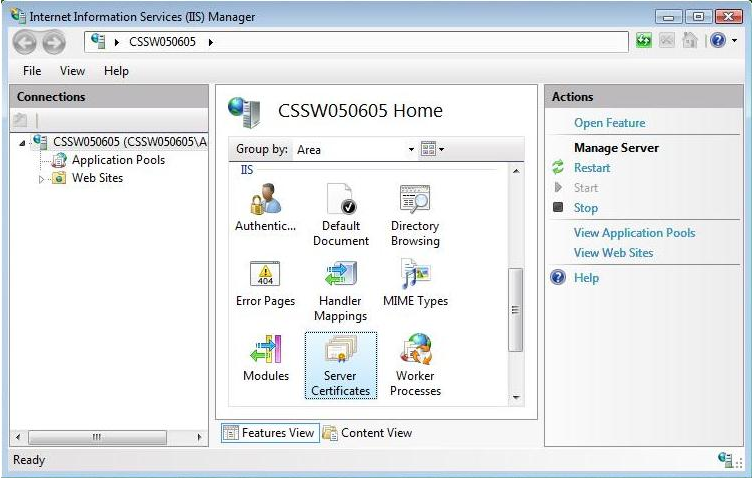
• Select name of the server from connection column
• Click on “Server Certificates”
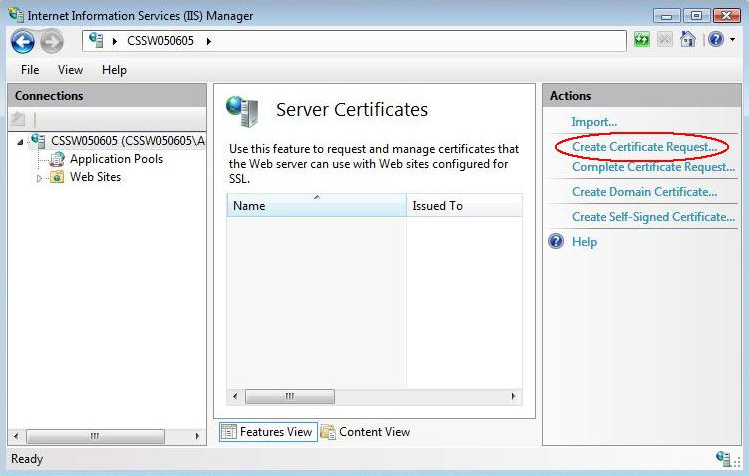
• Click on “Create Certificate Request” from Action tab from right side
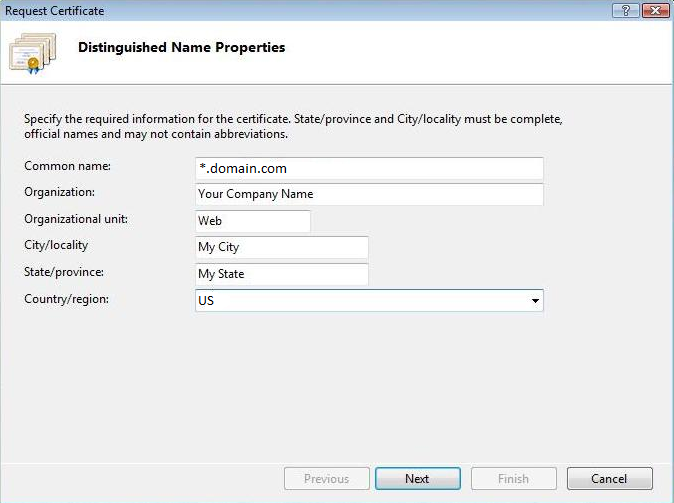
• Fill given form for request Certificate (common name must be start with * with your domain name)
• Click on next
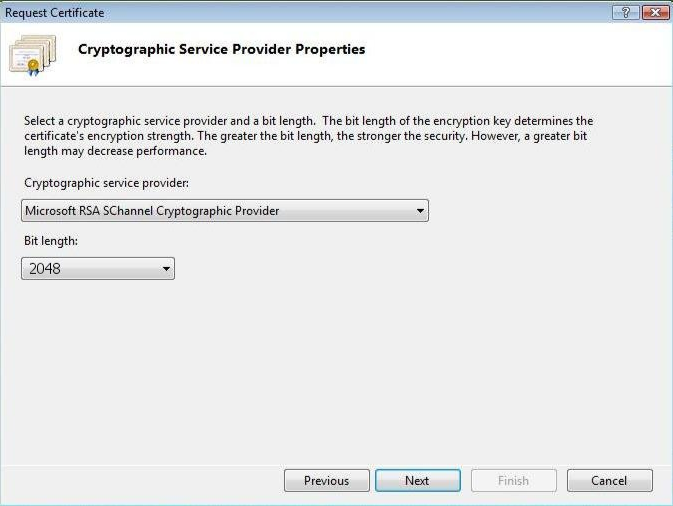
• Allow default Cryptographic Service provider & select 2048 bit length
• Click on next
• Specify a file name for the certificate request
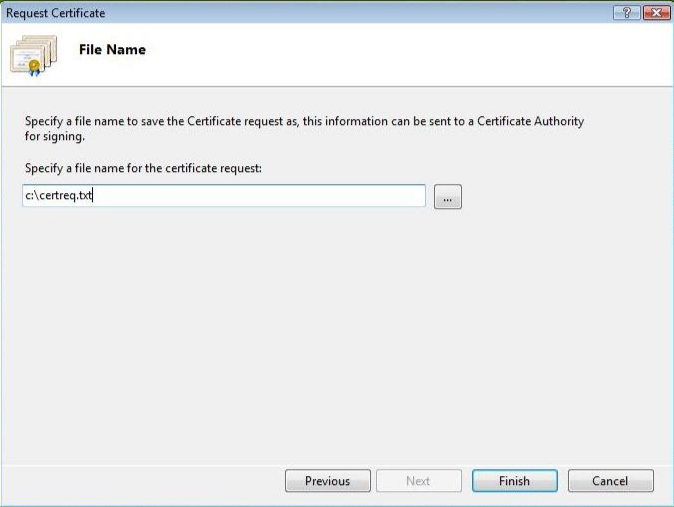
• Click on Finish
> Now your CSR file is ready to request certificate from certificate provider
If you would like to know about how to install SSL in IIS 7 - click here



